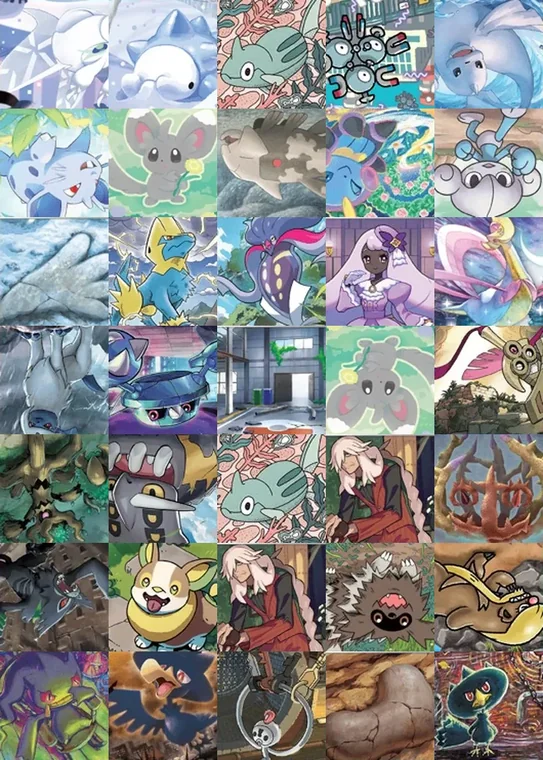
TCG Mosaic Builder 6,850 Pokémon cards · 58 sets Create a mosaic

Give your bulk playing cards new life.

Turn bulk playing cards into a piece of art.

Drop in a photo and the app figures out which cards would recreate it, using a library of 6,850 real Pokémon cards.

Create a mosaic Try it free. No account required.

The Gengar example totals 5,185 cards, 929 unique. Built, it is 61 × 85 inches: about 5.1 × 7.1 ft. Drag the picture to see the photo underneath.

A scan of a 30th anniversary Gengar card The same Gengar card rebuilt out of 5,185 Pokémon cards

Watch one get made.

Both pictures in this clip came out of the app, from the same photo.

  1. 1/4
    Upload your photo Any photo works. This one is a Pikachu card.
  2. 2/4
    Build the mosaic The app picks a real card for every square, 5,040 of them here.
  3. 3/4
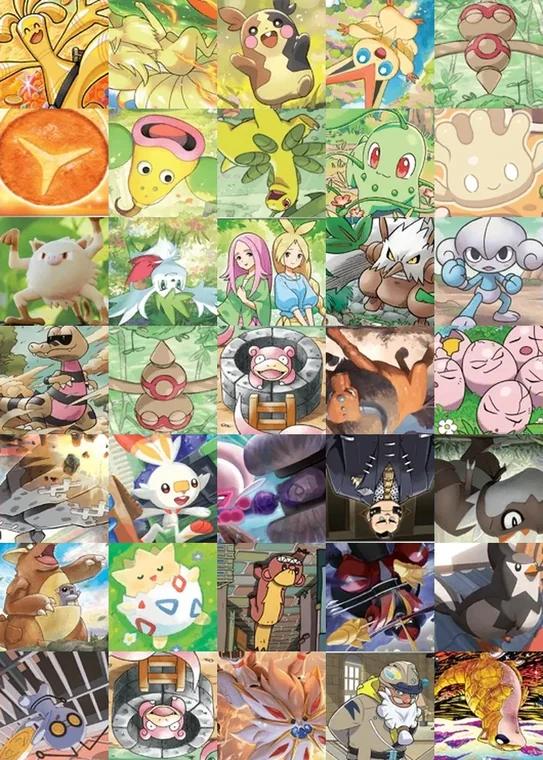
    Look closer Every square is a bulk Pokémon card you can actually buy.
  4. 4/4
    Cap the repeats Allow no more than 10 copies of any card and the same photo comes out wilder, in 1,800 cards.

An animation shows a Pikachu card uploaded, rebuilt out of 5,040 Pokémon cards, then magnified to show the individual cards, then rebuilt again in 1,800 cards with no card used more than ten times.

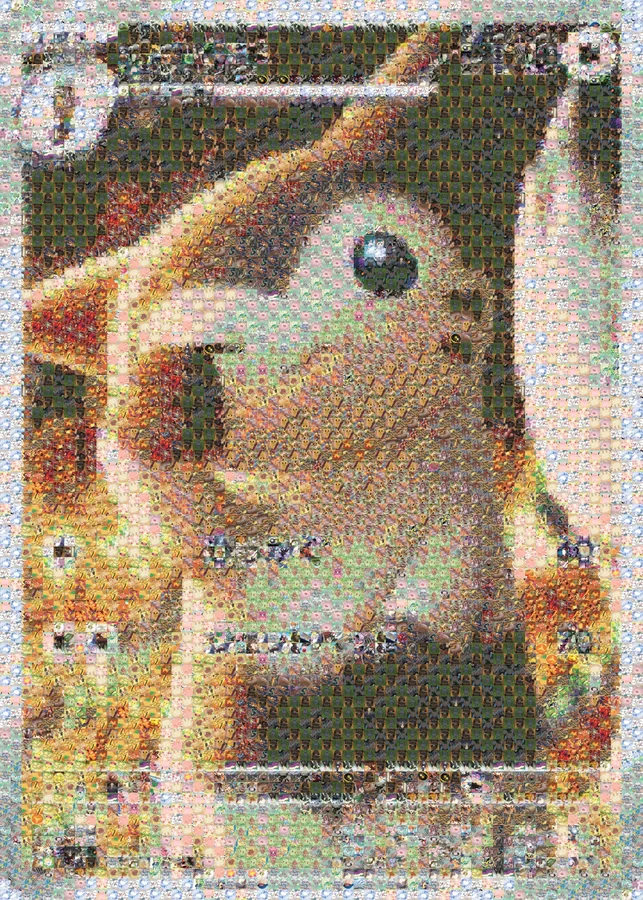
Two more mosaics made with the app.

Each one was made using only the default eight sets (the most recent releases).

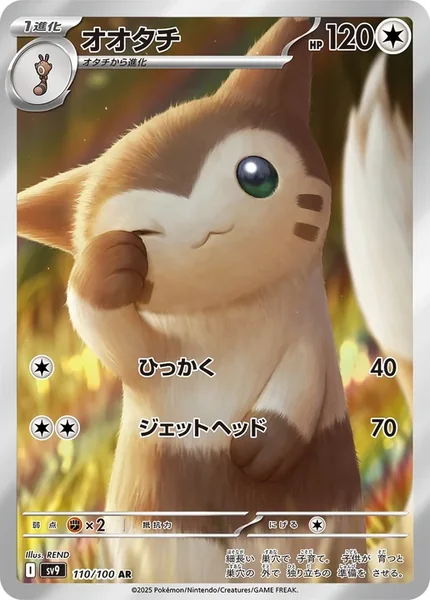
A Furret card
the photo uploaded
The Furret card rebuilt out of Pokémon cards
the mosaic
A close-up showing 35 individual cards
magnified to show cards
A Furret card5,040 cards · 276 unique cards
A photo of a tabby cat
the photo uploaded
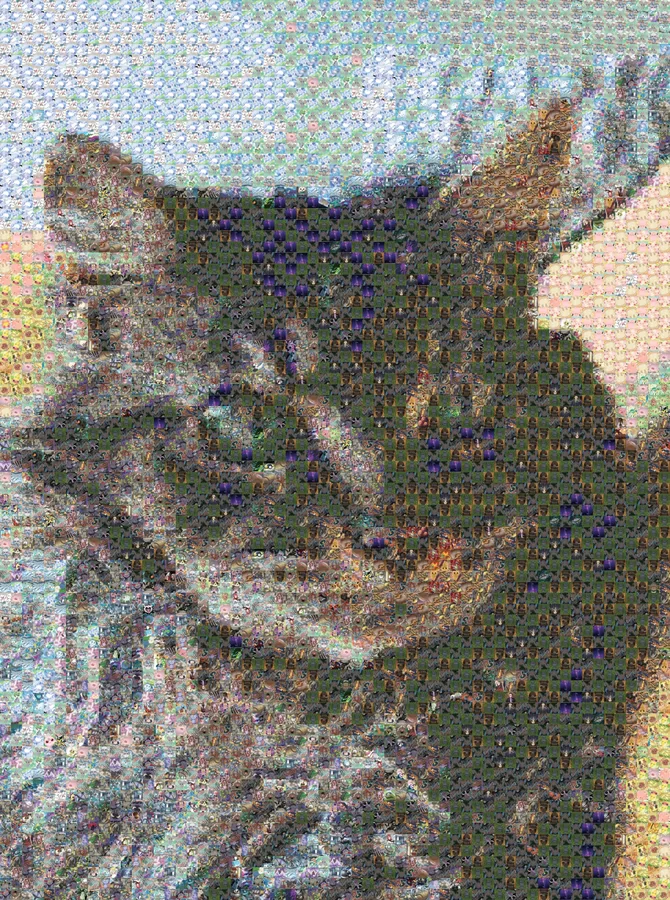
The cat rebuilt out of Pokémon cards
the mosaic
A close-up showing 35 individual cards
magnified to show cards
Somebody’s cat5,002 cards · 224 unique cards

How it works:

1/3

Choose a photo:

Drag and drop a photo into the app.

2/3

Pick your sets:

There are 58 Pokémon sets available, from Sun & Moon onward. The most recent eight are selected by default, which is usually enough to get started.

3/3

Decide a size:

More cards means more detail and a bigger finished piece. Every card is one inch, so a mosaic 36 cards across is 3 feet wide. What you see on screen is exactly what you can create.

Feeling crafty? Make the mosaic a reality with the downloadable print guide.

You can generate a printable guide that works a bit like a paint-by-numbers kit.

  1. 1/4
    Print the guide Every square is one inch across and numbered to match your card list.
  2. 2/4
    Trim and tape Cut off the margins and tape the sheets into one big guide.
  3. 3/4
    Cut out each card Cut a one-inch square from the card’s art and glue it on its number.
  4. 4/4
    Collect and add as you go The card list names every card, its set, and how many copies you need, so the picture can fill in a pack at a time.

An animation shows thirty printed guide sheets trimmed and taped together, then a one-inch square cut from a card and placed on every square with its number, and the rest of the guide filling in card by card until the mosaic is complete.

Pricing.

Free

You can:

  • Generate unlimited mosaics
  • Use any photo you want
  • Preview every mosaic on screen
  • Use the app without creating an account
$9.99 Download

Everything needed to frame it, or build it with real cards:

  • The full-resolution picture of your mosaic
  • Complete card list with set numbers
  • Spreadsheet showing quantities of every card
  • Full-size printable build guide (PDF)
  • Original and a simplified build version
$39+ Print

Your mosaic as a poster, shipped to your door:

  • 12 × 16 in, $39 · 16 × 20 in, $49
  • 18 × 24 in, $55 · 24 × 36 in, $69
  • Printed on matte poster paper
  • Printed and shipped on demand, US shipping included

Why only bulk cards? The app intentionally ignores valuable cards like illustration rares, secret rares, promos, and most special variants. This project is meant for the thousands of bulk cards sitting in binders, trade boxes and tins that aren’t getting used for anything else.

Frequently asked questions.

What is TCG Mosaic Builder?

A free web app that rebuilds any photo as a mosaic made of real Pokémon trading cards. It only uses bulk cards, the commons and uncommons most collectors have boxes of, from 6,850 English cards across 58 sets.

How many cards does a mosaic need?

You choose, from a few dozen up to about 5,000. Each card is cut to a one-inch square, so the card count is the finished size in inches: 36 cards across is 3 feet wide, and an 1,800-card mosaic is about 3 × 4.2 feet.

How big is each tile on the mosaic?

It depends on how you make it, and both are options. When you build it yourself from the printable guide, every tile is exactly one inch square, so each card you cut fits its square. When you order a print, the tiles scale to fit whichever poster size you choose.

What’s the best way to cut the cards down?

Scissors work fine. For faster, cleaner squares, a 1-inch square craft punch does it in one press, and they cost under $10 on Amazon.

Which cards does it use?

English bulk from Sun & Moon onward: commons, uncommons, rares and holo rares. Full arts, illustration rares, secret rares, V, GX and ex cards and promos are left out on purpose, because those are worth more on their own.

What do I get for $9.99?

The full-resolution picture of your mosaic, the complete card list with the set and number of every card and how many you need, and a printable build guide at exactly one inch per square. Each comes in the version you built and a simplified version that uses fewer different cards.

Can I buy it as a print instead?

Yes. Any mosaic can be ordered as a matte poster from 12 × 16 to 24 × 36 inches, printed on demand and shipped within the US. Prices start at $39 with shipping included.

Is my photo uploaded anywhere?

No. The mosaic is made in your browser, and the photo never leaves your device. No account is needed.

Is this affiliated with Pokémon?

No. TCG Mosaic Builder is an independent tool and is not affiliated with, endorsed by or sponsored by Nintendo, Creatures Inc. or GAME FREAK inc.

Find out what your bulk could become.

Upload a photo, adjust the sliders, and see which cards create the image.

Create a mosaic